Policies and allowances
Create or edit a policy: a leave type's yearly allowance, booking rules and leave year, who it applies to, and how joiners are pro-rated.
A policy sets how much of a leave type people get each year and the rules for booking it. Your company starts with an annual leave policy applied to everyone.
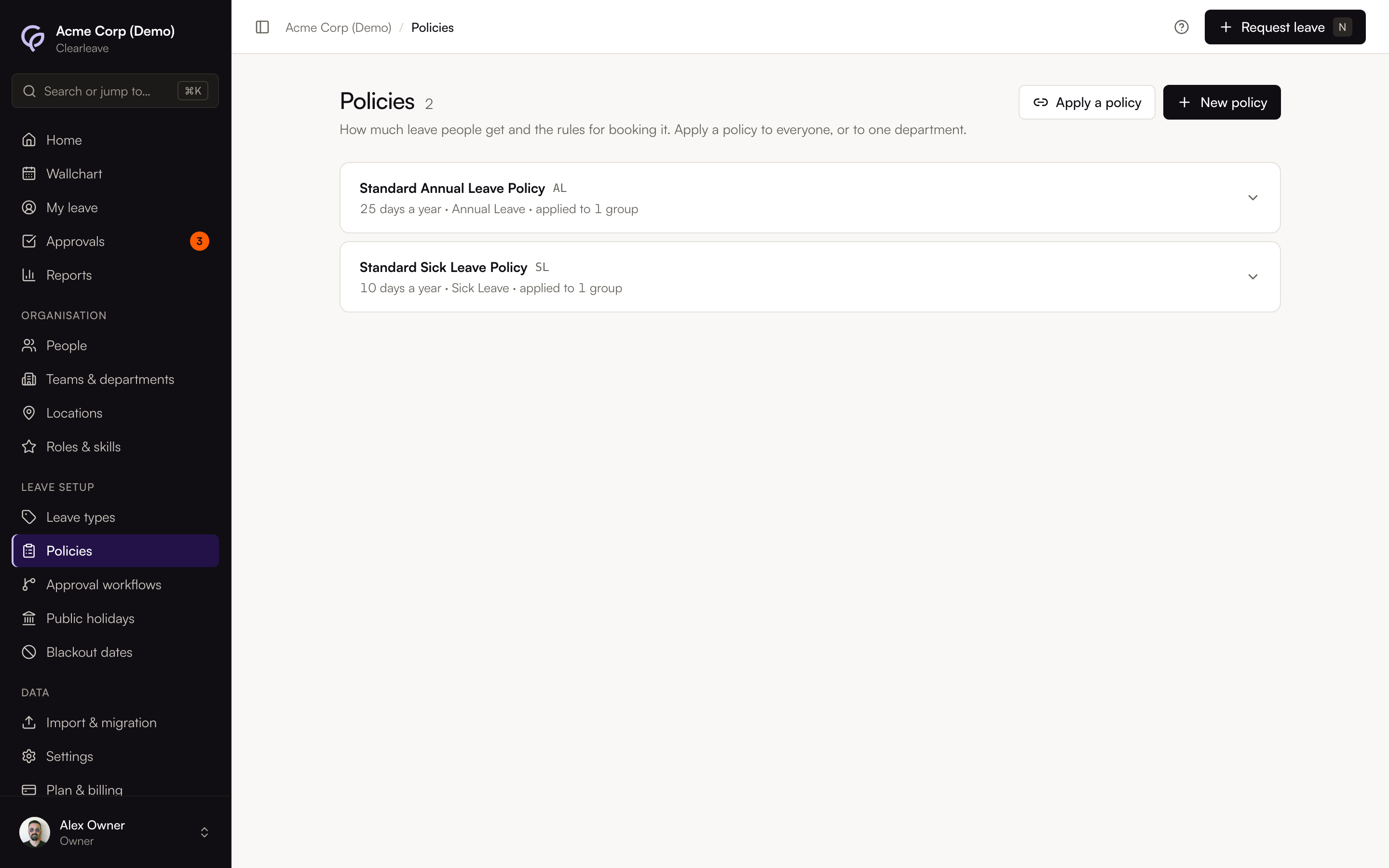
Create a policy
- 1
Open Policies
Go to Leave setupPolicies and select New policy.
- 2
Name it and pick the leave type
Enter a Name, for example "Standard annual leave", and choose the Leave type. Choose when the Leave year starts, for example 1 January or 1 April.
- 3
Set the allowance and rules
Fill in the fields below, then select Create policy. Everything after Days per year is under Advanced rules.
- 4
Apply it
Select Apply a policy, choose the Policy, and under Apply to choose Everyone (the default) or One department. Select Apply policy.
A policy does nothing until it's applied. When a department has its own policy, it beats the everyone-default for people in that department.
The settings
| Setting | What it does |
|---|---|
| Smallest booking | Half day or Full day. Full day hides half days in the request form and on the Wallchart. |
| Days per year | The yearly allowance. |
| Notice needed (days) | How far ahead leave must be booked. 0 means any time. |
| Longest single booking | The most days in one request. Empty means no limit. |
| Book ahead up to | How far ahead leave can be booked, in days. Empty means no limit. |
| Ask for evidence after | Flags that evidence is needed for longer requests. It doesn't block them. |
| Scale to each person's working week | Days per year are for a 5-day week: someone working 3 days gets 3/5 of it. |
| Public holidays come out of the allowance | For contracts that include public holidays in the allowance (in the UK, often "28 days including bank holidays"): each holiday on a day someone works is taken from their balance. |
| Allow a negative balance | Lets people book beyond what they have left. |
Accrual and carry-over are on Pro. See Accrual and carry-over.
Select a policy on the page to see all its rules, including when the leave year starts. You can change Smallest booking there, select Edit policy, or select Deactivate policy.
Edit a policy
- 1
Open it
Select the policy on Leave setupPolicies, then Edit policy.
- 2
Change what you need
Any setting can change except the leave type and, once allowances have been given, the leave year.
- 3
Check what happens
Select Review changes. Clearleave says who is affected and how, for example "This year's and future allowances for the 34 people on this policy are recalculated from 1 Jan 2026 (25 → 28 days). 32 people: +3 days." Select Save changes, or Back to editing.
What an edit does:
- Days per year and Scale to each person's working week change this leave year's allowance and any later year already started, for everyone on the policy. Joiners get their pro-rated share of the difference. Each person's balance history shows it, for example "Policy changed: 25 → 28 days". Past leave years aren't changed.
- Public holidays come out of the allowance: turning it on takes this leave year's public holidays on people's working days from their balances, including holidays already passed; turning it off gives them back.
- A smaller allowance never takes a balance below zero unless the policy allows negative balances. Leave already booked stays booked.
- Notice, Longest single booking, Book ahead up to, Ask for evidence after, Smallest booking and Allow a negative balance apply to new requests only.
People who join partway through the year
Set each person's Start date on their page, under Dates. If they join after the leave year starts, Clearleave pro-rates their allowance by the share of the leave year left on their start date, rounded as the policy says. For example, someone who joins halfway through a 25-day year gets about 12.5 days.
Their allowance updates as soon as you save the start date, or change their department or location.
Leave year
Choose when the leave year starts when you create a policy. You can change it on Edit policy until the policy has given anyone an allowance. After that it's fixed, because changing it would split balances already recorded. Moving people to a policy with a different leave year partway through a year would give them a second allowance for the months the two years share, so contact us first if you need to change your leave year. The policy card shows Leave year starts for each policy.